Sponsored content by EurusPay
EurusPay · Freelancer guide
Colombia · European client payments

Receive European client payments in EUR and get paid in USDC or USDT

If you work from Colombia with European clients, you can keep a euro invoice and a familiar bank payment for the customer. EurusPay processes approved payments and sends the converted amount to a compatible wallet, subject to eligibility and verification.

Updated 27 August 2026

SEPACustomer payment
EURInvoice currency
USDC / USDTPayout asset

What to compare before choosing how to get paid

Compare the total cost of the workflow, not just an advertised fee. The outcome depends on the payment method, exchange rate, provider fees and, if you want Colombian pesos, the conversion and withdrawal service you use afterwards.

ItemWhat to check
Incoming paymentBeneficiary details, IBAN, reference and incoming payment requirements.
EUR → stablecoin conversionExchange rate, fees and resulting amount before confirming.
Wallet and networkCompatible token, network and address; potential blockchain costs.
Conversion to COPAvailability, verification, exchange rate and fees of the external withdrawal provider.
USDC and USDT are not bank deposits or risk-free assets. They can lose their peg and involve issuer, custody, network and regulatory risks.

Your client pays EUR; you receive the approved stablecoin

The client receives a EUR invoice with the European payment instructions authorised for your account and pays by SEPA. They do not need to buy cryptocurrency or connect a wallet. After receipt, review and conversion, EurusPay processes the payout in USDC or USDT on a supported network.

How it works, step by step

1

Create the right account type

Use a personal account for your own income or a business account for invoices issued by a company. Complete the relevant identity or business checks.
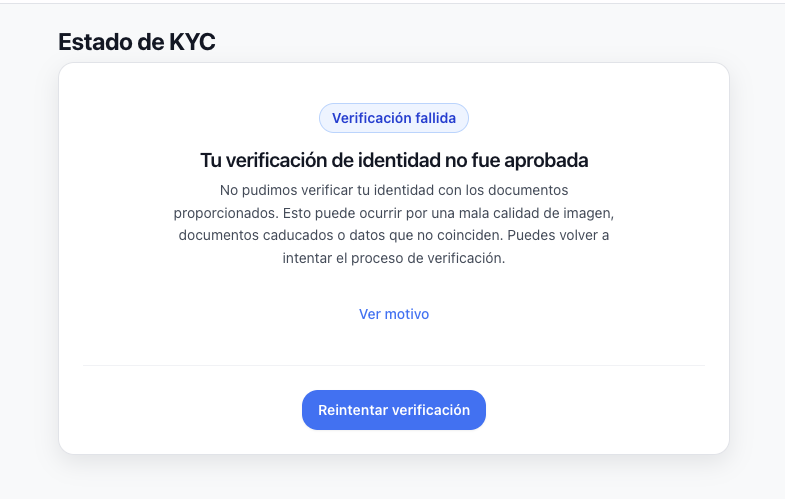
Identity verification
2

Confirm your wallet and network

Choose a token and network available in EurusPay and supported by the receiving wallet. Check the address carefully.

Wallet setup
3

Prepare the EUR invoice

Include genuine client and service details, the amount, applicable taxes, due date and required reference.
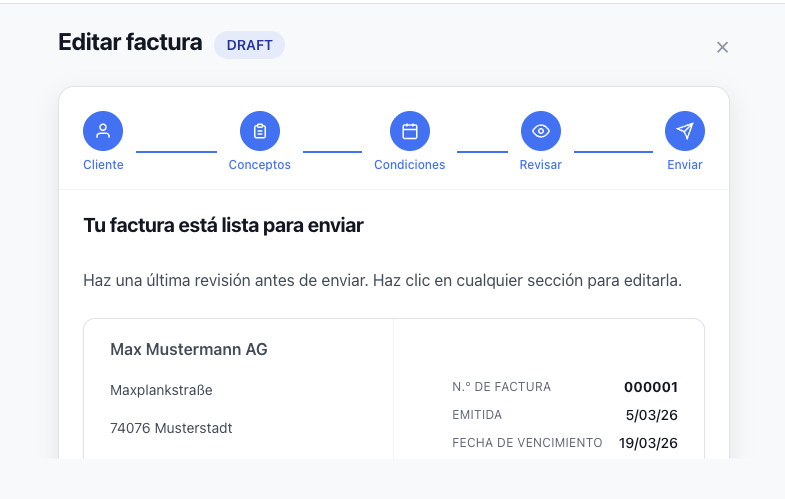
Invoice creation
4

Share the SEPA instructions

Copy the beneficiary, IBAN and reference exactly as displayed in your approved account. The customer pays EUR from their bank.

IBAN details
5

Receive and record the payment

The payment is matched and reviewed before conversion and stablecoin transfer. Keep the invoice, transfer, fee, exchange rate and transaction records together.
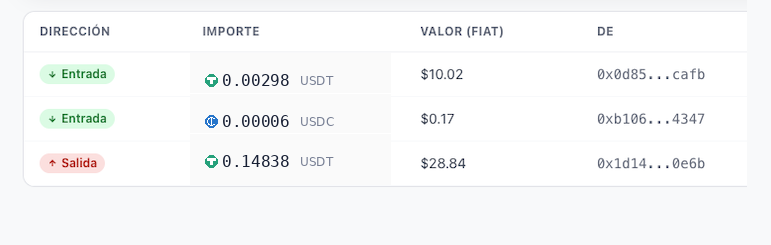
Payment record

Verification and timing

Service availability depends on the country, activity, account and approval of each payment. Documents about the customer, contract, invoice or source of funds may be requested. Approval and processing times are not guaranteed; banks, reviews and network conditions can affect them.

Questions before you start

What is a wallet?

It is a tool for accessing assets on a blockchain. Understand who holds the keys, how to recover access and which token and network it supports. Do not assume that a visually compatible address accepts every stablecoin.

How do I convert USDC or USDT to Colombian pesos?

You can use an external provider available in your jurisdiction that supports your token and network. Review its verification, liquidity, exchange rate, fees and withdrawal conditions. EurusPay does not guarantee these providers’ service, cost or timing.

Does my customer pay directly in crypto?

Not in this workflow. The customer pays the invoice in EUR by SEPA; the recipient receives the stablecoin after processing.

What does it cost and how long does it take?

Check the current conditions displayed by EurusPay for your account and transaction. There is no general promise of fee-free payments or completion within a fixed number of minutes.

What about tax and accounting?

Keep records of the invoice, EUR collection, conversion and stablecoin receipt. Tax, invoicing and registration obligations depend on your situation and jurisdiction. Seek professional advice where needed.

Illustrative example: a EUR 3,000 invoice

An eligible freelancer in Colombia invoices a European client for EUR 3,000. The client pays by SEPA using the approved instructions. After checks and conversion, the resulting amount is sent to the compatible wallet. The payout is not automatically 3,000 USDC or USDT: it depends on the exchange rate and fees.

ItemWhat to check
InvoiceEUR 3,000; service, customer and due date documented.
Incoming paymentMatched to the invoice through the correct reference.
SettlementStablecoin, network, fees and exchange rate recorded.
Subsequent useHold the asset or use an external provider, taking its risks and costs into account.

Read the complete EUR invoicing guide · Explore the use cases

Prepare your next payment from Europe

Check your account’s eligibility, complete verification and give customers clear EUR payment instructions.

Create a EurusPay account →
Subject to eligibility, verification and current conditions.
FreelanceFintechColombiaSEPAStablecoinsRemote work

Sponsored content by EurusPay.
Legal notice · Privacy policy · Terms of service

Create a EurusPay account →Subject to eligibility, verification and current conditions.